Guides

What Is Housefishing? A Guide to Honest Virtual Staging

October 30, 2026
6 min read
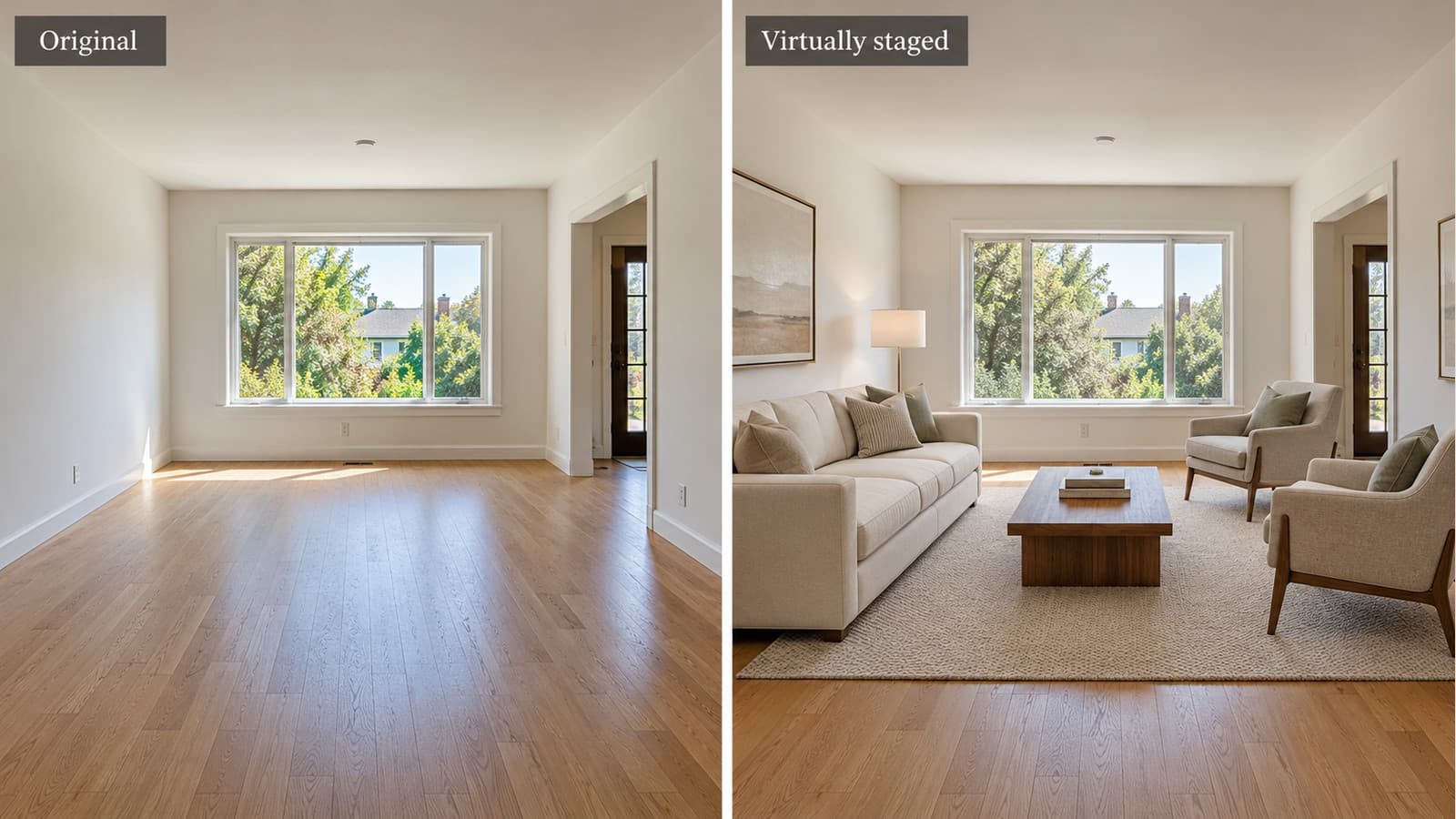
Editorial illustration comparing an empty living room with a digitally furnished version, labeled Original and Virtually staged.

Cover image: AI-generated editorial illustration. The interactive comparisons below use existing VirtuallyStage examples.

What does housefishing mean?

Housefishing describes property marketing that makes a home look materially different from what a buyer will find in person. Digitally enlarging a room, hiding damage or inventing a view can create that mismatch. The term is a warning about misleading presentation, not a separate legal category or a description of every virtually staged photo.

Virtual staging can help buyers understand how an empty room might be furnished. The useful distinction is whether the image explains the existing space or misrepresents the property. Furniture should fit the room; the room should not be reshaped to fit furniture.

Below, compare existing VirtuallyStage examples with their source photos. If the approach suits your listing, view paid staging packages. You can inspect these examples without buying or uploading a photo.

Compare the room before you judge the furniture

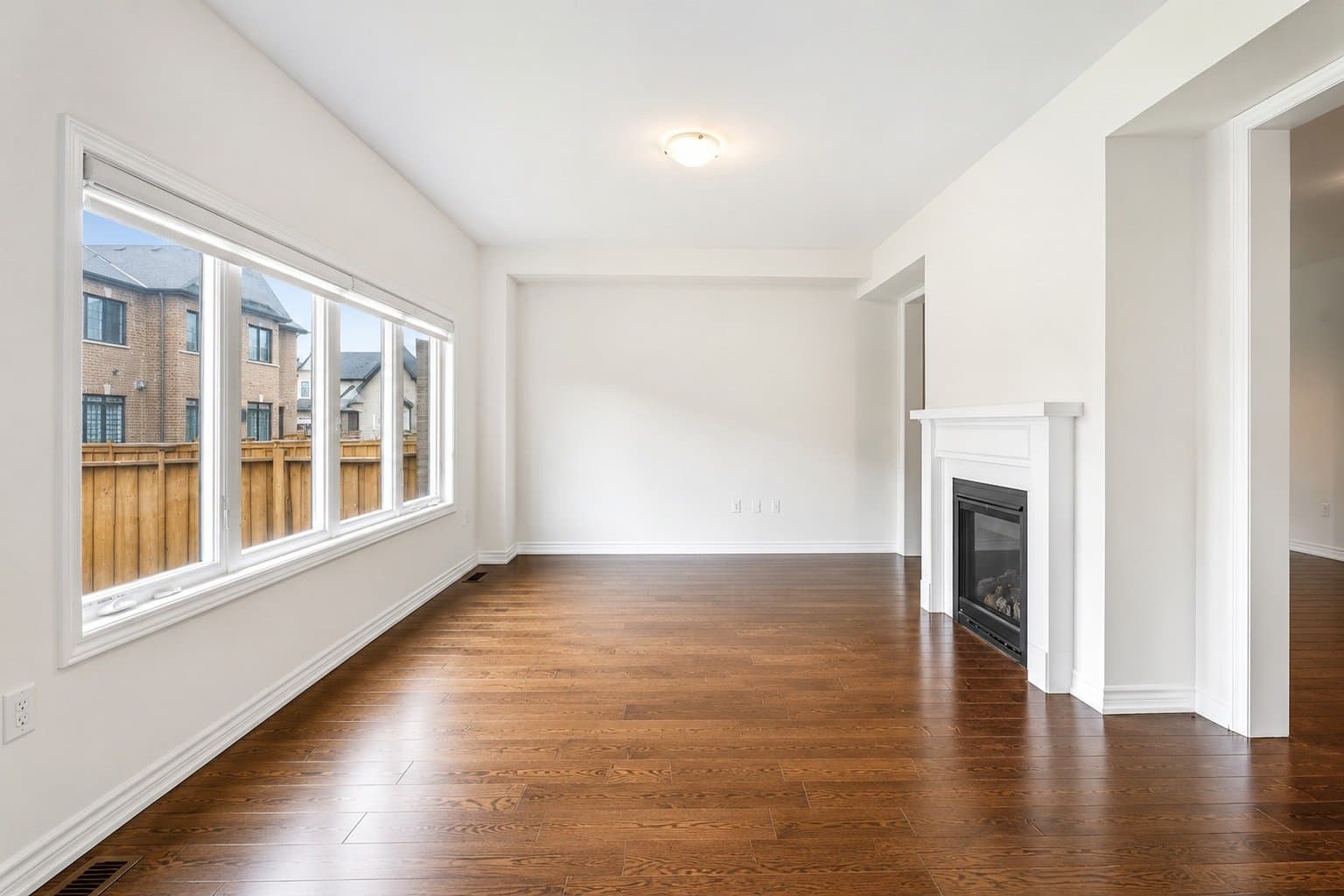
Move the comparison slider or use its arrow keys. Look at ceiling lines, room depth, corners, windows, doorways and floor boundaries. These examples show different furnishing styles; they are not a certification that any image meets your local listing rules.
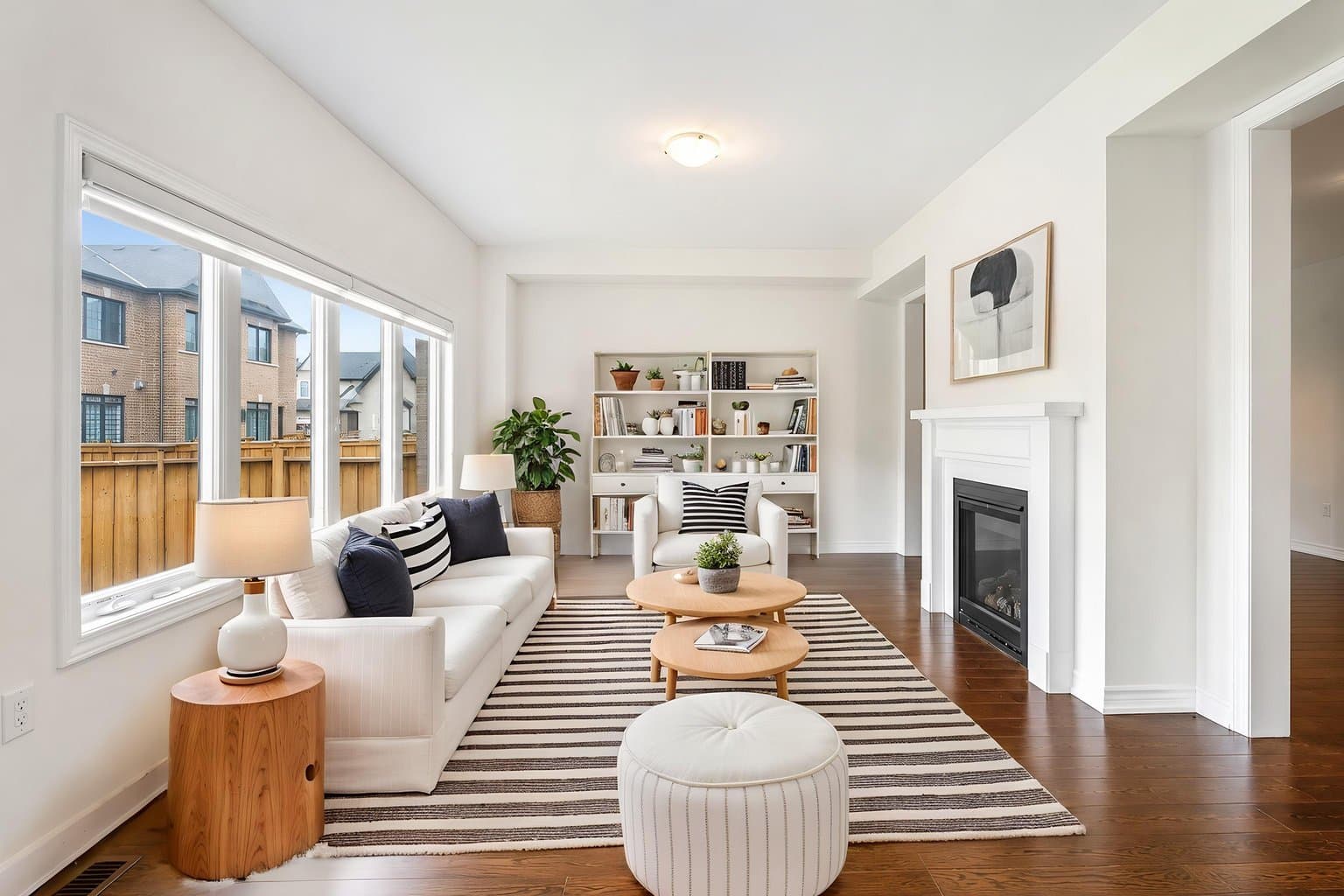
Living room · Scandinavian, virtually staged with digital furnishings
Living room · Scandinavian, original empty room
OriginalVirtually staged

Drag the slider or use the arrow keys. Check the room’s boundaries as well as the furniture.

Compare your own result at full size before publication. Furniture can hide part of a floor or wall, so a visually plausible image is not proof that every underlying detail stayed unchanged. Keep the untouched source photo available for review.

Virtual staging versus misleading listing photos

Photo decisionA more transparent approachWhat to avoid
FurnitureAdd realistically scaled, clearly disclosed digital furnishings.Undersized furniture that makes a small room look unusually spacious.
ArchitectureCompare walls, windows, doors and ceiling lines with the original.Moving openings, widening rooms or raising ceilings.
ConditionShow the property's actual finishes and material defects.Concealing cracks, stains, damage or unfinished work.
DisclosureIdentify altered images and supply originals as the applicable rules require.Assuming a small label makes a misleading edit acceptable.

Try it on your own listing today.

$35 for 8 photos, up to 20 versions of each. No subscription, credits never expire.

A five-step checklist for your next listing

  1. Start with an accurate original. Use a current photo of the property and retain an untouched copy. Avoid starting from an image already edited to hide problems.
  2. Choose furniture for the actual room. Keep circulation paths and access to doors believable. Check scale against known dimensions rather than guessing from the staged image.
  3. Compare structure and condition. Inspect the original and result side by side, including ceiling junctions, recesses, floor edges and the view outside. Reject or correct a result if a property feature changes.
  4. Apply the required disclosure. Check your MLS, brokerage and jurisdiction. A caption, watermark, public remark and original-image placement can be separate requirements.
  5. Check the published listing. Confirm that labels and originals remain visible after upload and syndication. Save the source, approved result and disclosure together.

Furniture removal needs the same care. Clearing a sofa can expose an area the camera never recorded. Review the reconstructed floor and wall rather than treating them as evidence of the property's condition. See our virtual staging disclosure wording guide for caption examples to check against your own rules.

What do California and MLS rules actually require?

Requirements depend on where and how you advertise. California's Department of Real Estate explains that, from January 1, 2026, covered digitally altered real estate images require disclosure and access to the original image. Its advisory also stresses that the responsible licensee must review AI-assisted advertising for accuracy. Read our California AB 723 virtual staging guide and the DRE advisory before preparing a California listing.

An MLS may specify additional presentation steps. For example, Metro MLS describes an original-first sequence, its Flexmls watermark tool for altered images, and disclosure in public remarks. This is a particular MLS policy, not a rule for every Wisconsin listing or every US listing. Check the Metro MLS instructions if they apply to you.

Use our MLS rules by board and state disclosure guide to find a starting point, then verify current requirements with your brokerage and MLS. No staging software can promise that you will never receive a fine.

Use VirtuallyStage to furnish your listing photos

Upload a room photo, choose a furnishing style and review the result against your original. The goal is to help buyers imagine furniture in the existing space. Your final review and disclosure remain part of preparing the listing.

The Single-listing package includes 8 staging credits for $35, with a base price in USD before applicable tax. One staging credit covers one photo, with up to 20 versions of that photo. There is no subscription, and unused credits do not expire. Clearing furniture is a separate operation that uses an additional eligible credit.

View packages and start with your listing photos →

For more examples, explore one living room in eight staging styles. If you are planning a Canadian condo listing, use our condo staging cost and photo guide.

FAQ

Is virtual staging the same as housefishing?

No. Virtual staging adds digital furnishings to a property photo. Housefishing describes misleading property presentation. Accurate scale, preservation of the property's features, clear disclosure and access to originals help buyers understand what they are seeing.

Does a virtually staged label make every edit acceptable?

No. A label does not make hidden damage or a materially changed room accurate. Review the result and follow the applicable advertising and MLS rules as well as their disclosure requirements.

Can I compare examples before buying?

Yes. The comparisons on this page let you inspect original and staged photos. Staging your own photos requires a paid package; the comparison is a public demonstration.

Does VirtuallyStage guarantee that my listing is compliant?

No. Compliance depends on the final image, its presentation and the rules that apply to your listing. Compare each result with the original and confirm the required disclosures with your brokerage and MLS.

Sources and review date

Reviewed October 30, 2026. Sources: California Department of Real Estate advisory, Metro MLS photo requirements, and NAR's discussion of enhanced listing photos. This guide explains a review workflow; it is not legal advice or an endorsement by those organizations.

AA

Ali Annabi

RECO-licensed realtor in Toronto and founder of VirtuallyStage. Practical virtual staging guidance from real GTA listings, not theory.

Stage your next listing today

$35 for 8 photos, with up to 20 versions of every photo. No subscription, and credits never expire.