AI Furniture Removal for Real Estate Photos
VirtuallyStage is an AI furniture removal tool for real estate agents. Brush over the furniture, clutter and personal items you want gone from an occupied or tenanted listing photo, and a dedicated removal engine clears them in about 15 seconds — the room comes back clean, not smeared, with the property's structure preserved.
Removal packs from $9 USD for 15 photos — about $0.60 a photo. No subscription, and credits never expire.
What you are watching: a furnished listing photo is uploaded, each piece to remove is brushed over, and the cleared photo is downloaded. Only the objects you mark are removed — along with their shadows and reflections. No editing skills, no software to install; it all runs in your browser.
AI furniture removal before & after
Real examples of furniture, clutter and personal items removed from occupied real estate photographs. Drag any photo to compare, use the arrow keys, or let it play on its own.
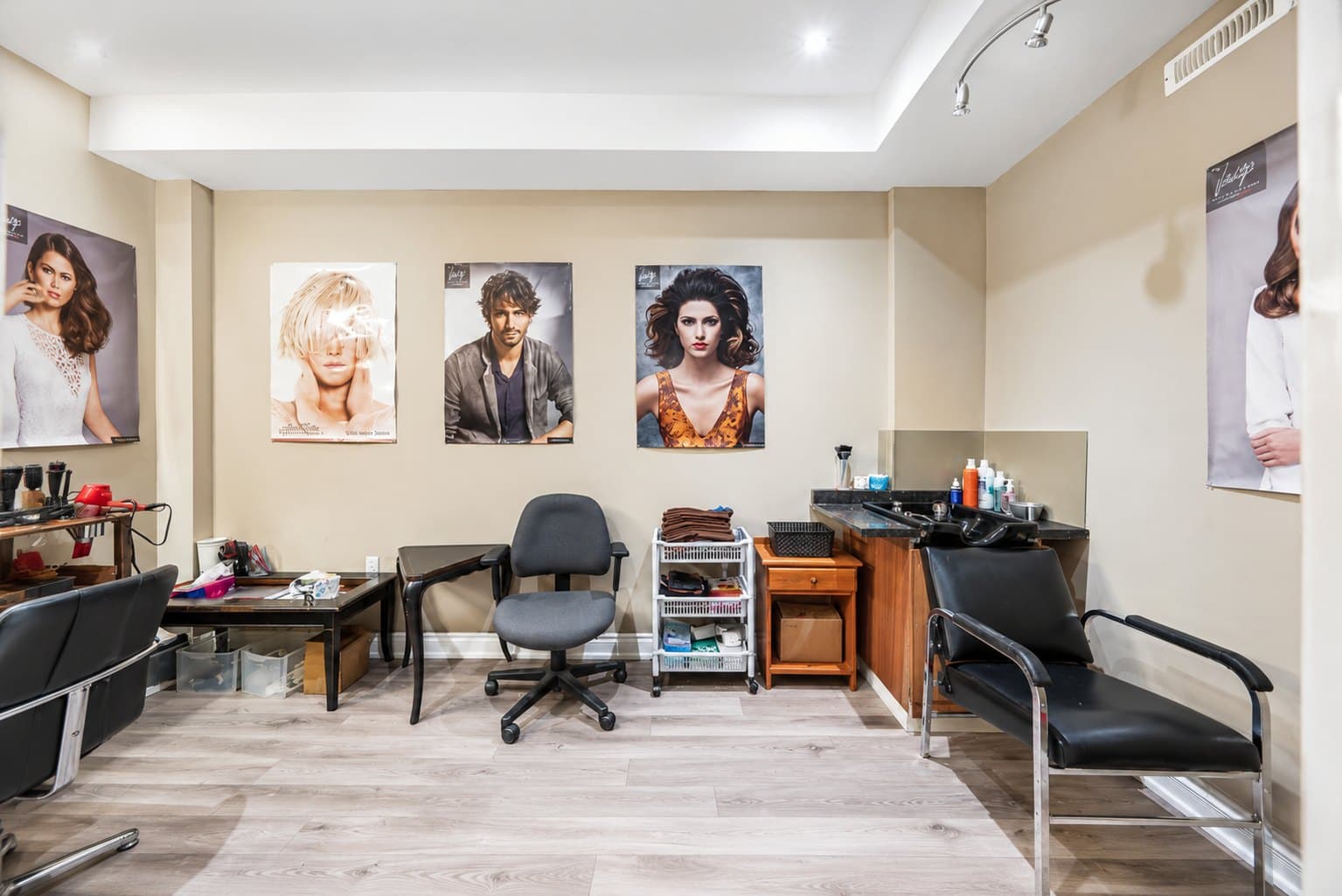
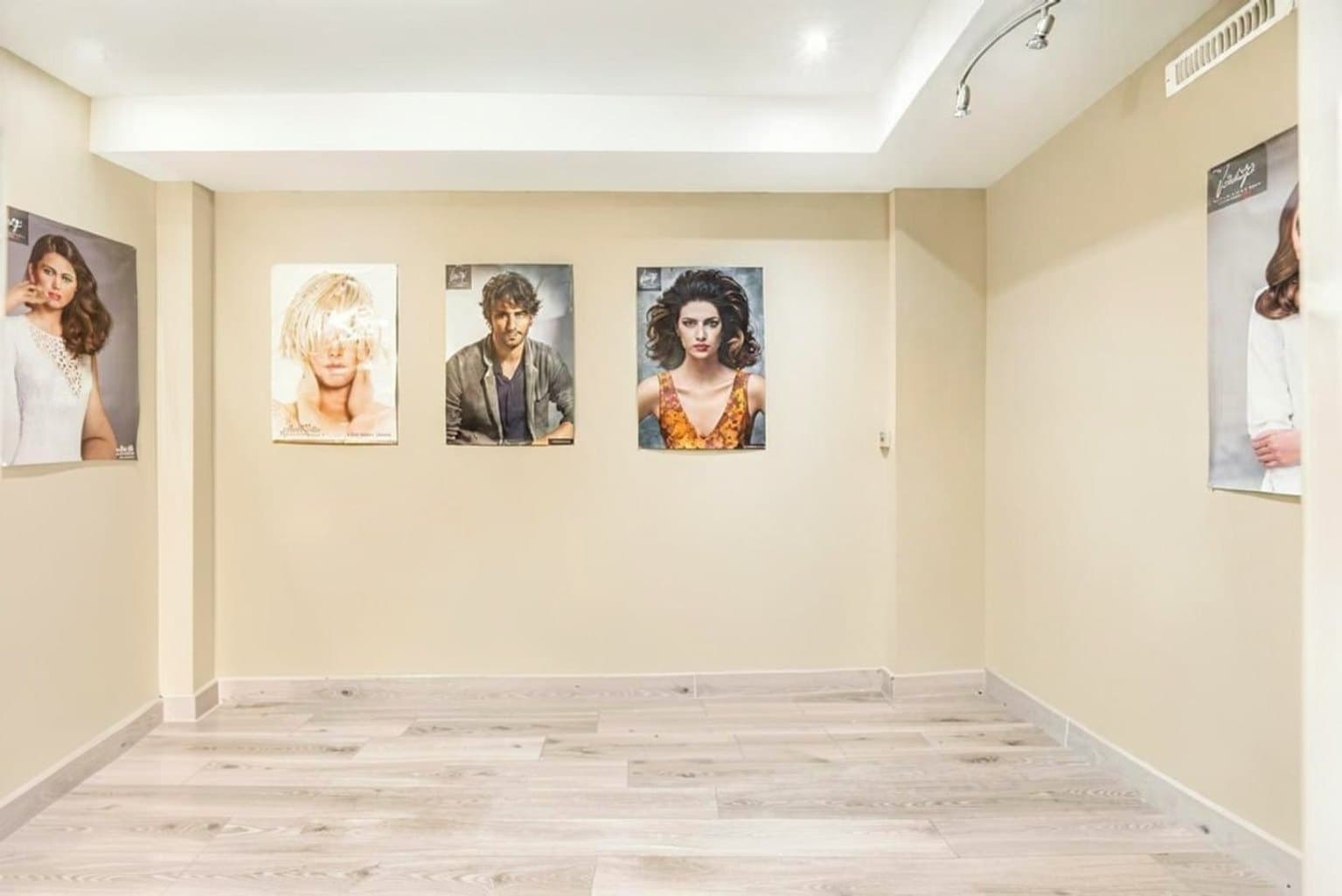
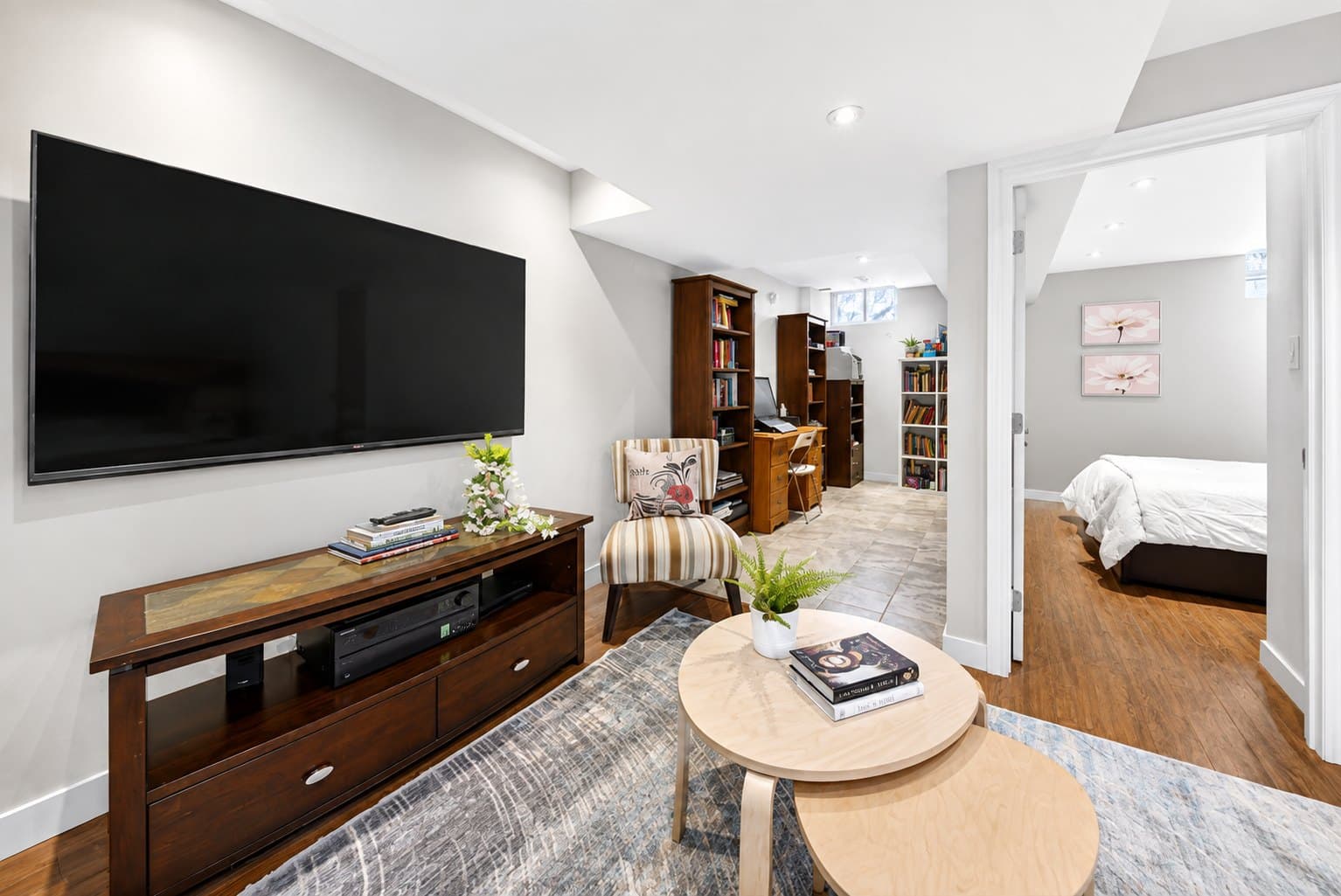
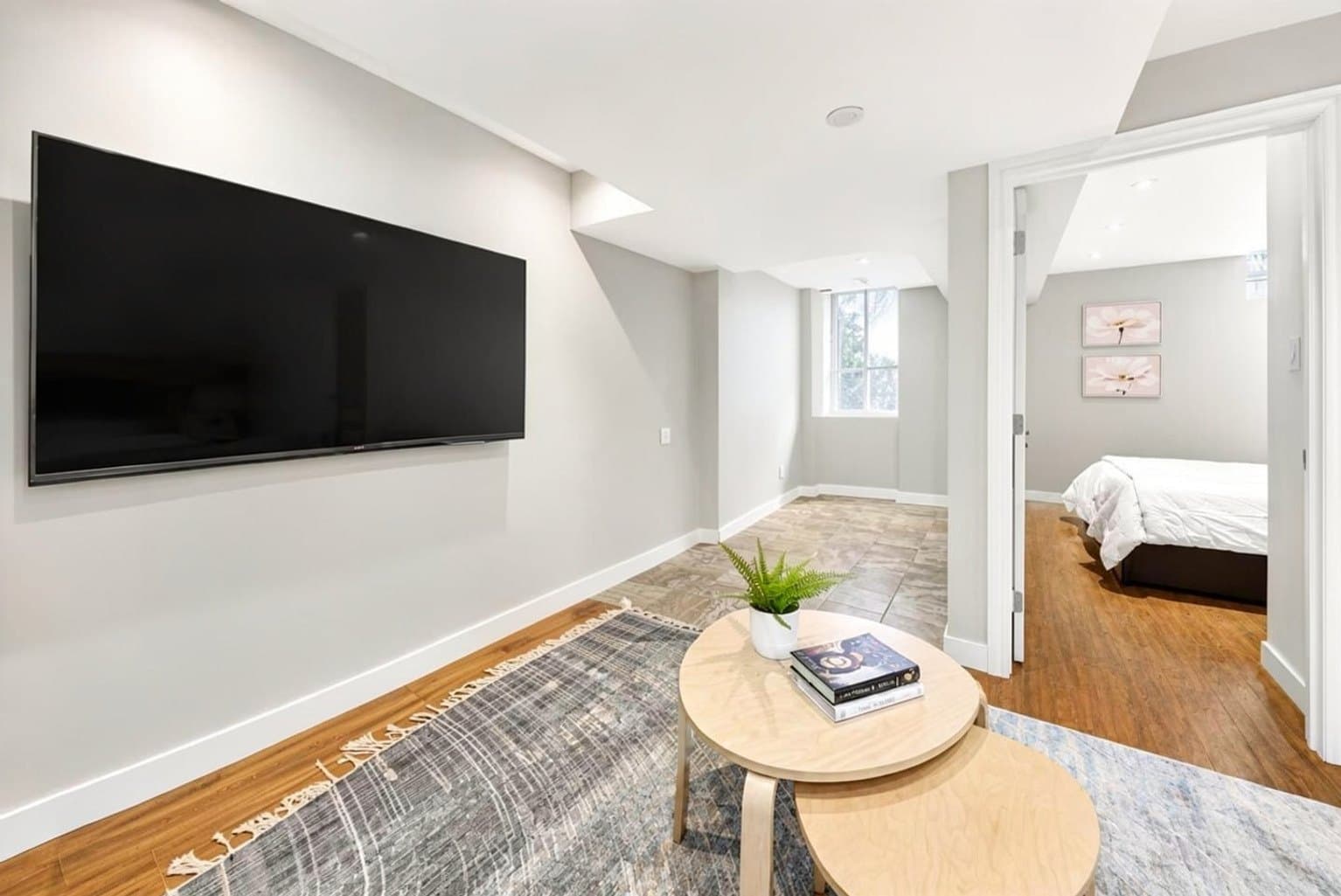
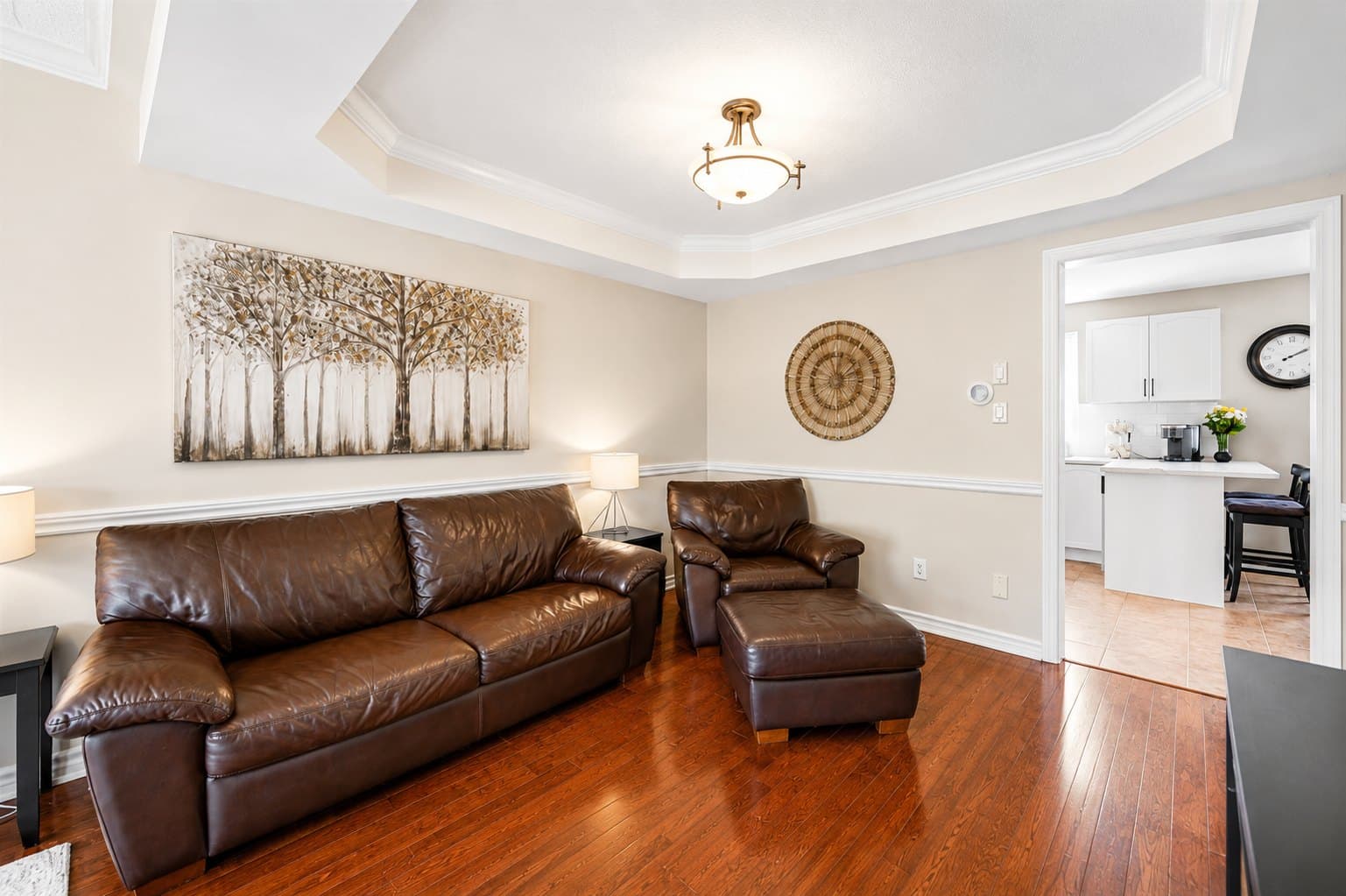
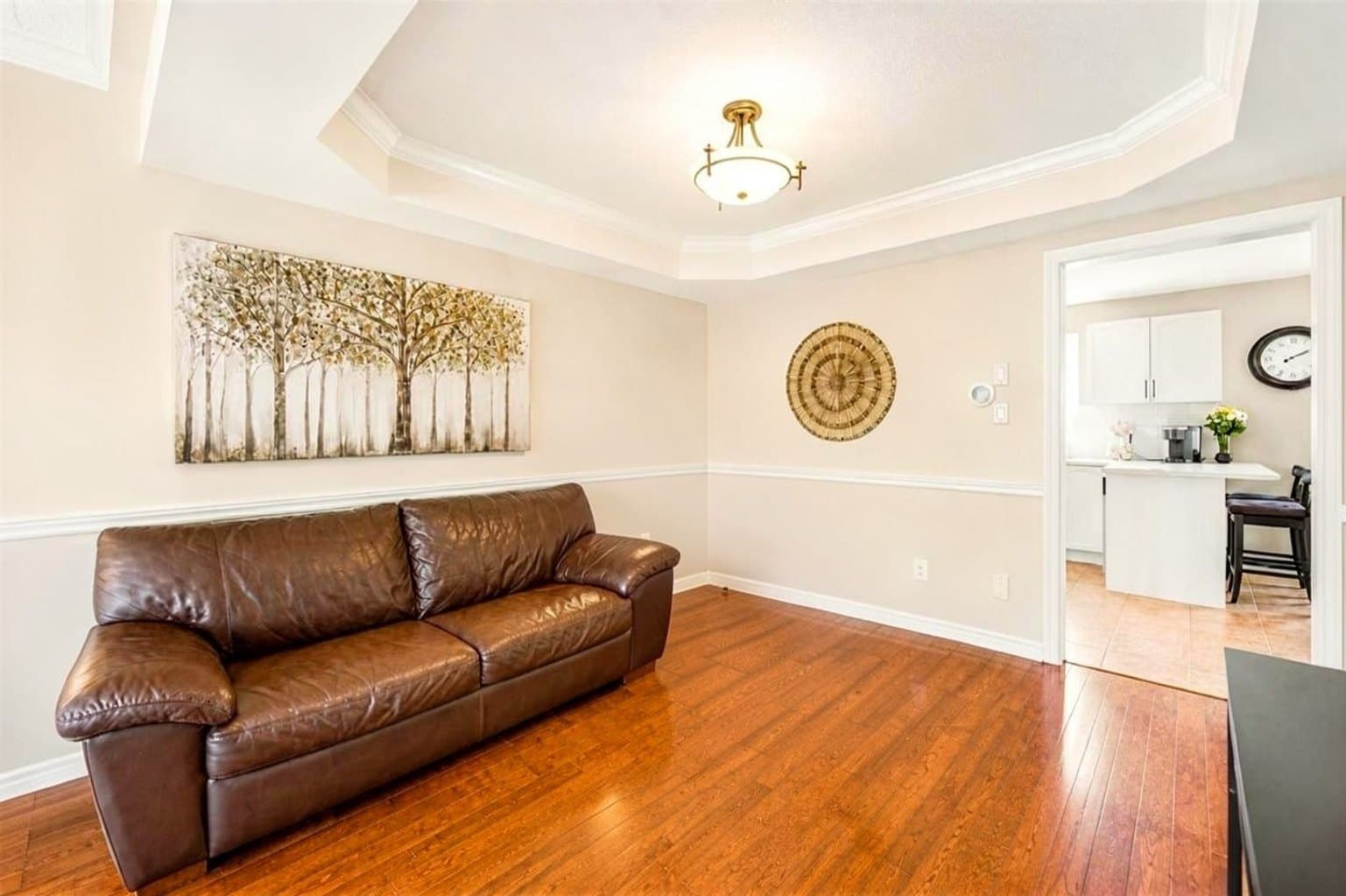
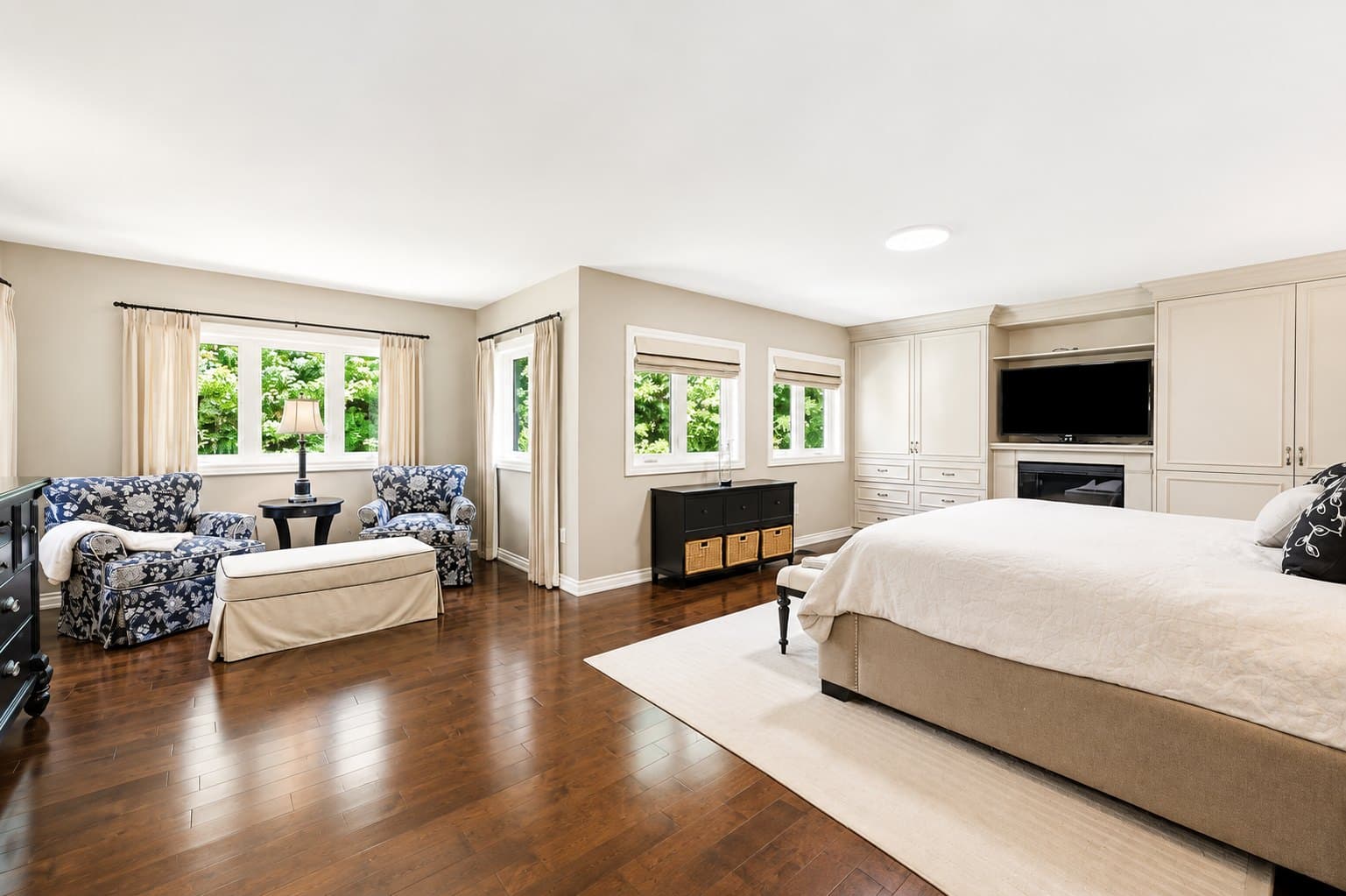
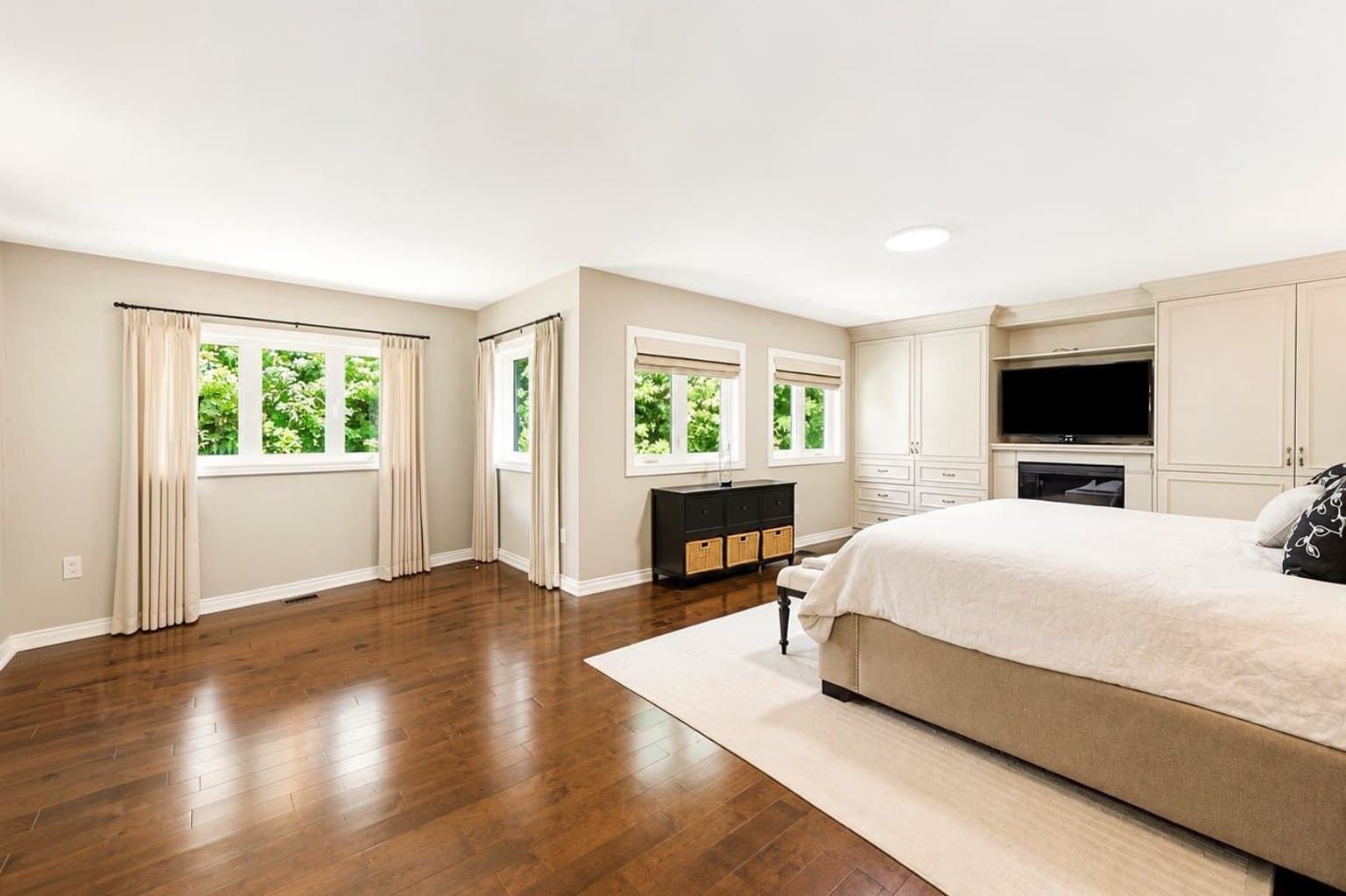
Three steps, about 15 seconds
From a cluttered phone photo to a clean, listing-ready room.
1. Upload your photo
Any occupied, cluttered, or empty room — straight from your phone or computer. Nothing to install.
2. Mark what to remove
Mark the furniture and clutter you want gone. The removal engine rebuilds the floor and walls behind it.
3. Download the cleared photo
Get the clean photo back in ~15 seconds. Keep it empty, or furnish it in a style that fits the listing.
Removal-only packs, pay per photo
Affordable AI furniture removal for real estate photos — removal-only packs start at $9 for 15 photos, about $0.60 a photo and dropping to $0.33 on the largest pack. Pay per photo, no subscription, and your credits never expire.
| Pack | Photos (credits) | Price (USD) | Per photo |
|---|---|---|---|
| Starter | 15 | $9 | $0.60 |
| Everyday | 40 | $19 | $0.47 |
| Bulk | 150 | $49 | $0.33 |
One removal credit covers one photo, however many items you mark in that photo. To furnish the cleared room afterward, use a separate staging credit. Removal-only credits cannot be used for staging. Compare removal and staging costs.
Prices shown in USD. Canadian customers see and pay fixed CAD prices at checkout.
What AI furniture removal does — and who it helps
What is AI furniture removal?
AI furniture removal is the use of artificial intelligence to remove existing furniture, clutter and personal belongings from real estate photographs. The technology reconstructs the areas hidden behind the removed objects while preserving the property's photographed walls, floors, windows, dimensions and layout.
What it removes
- Sofas, chairs and beds
- Tables, desks and shelving
- Rugs and floor coverings
- Televisions and electronics
- Artwork and decorations
- Personal belongings and clutter
The model removes each object along with its shadows and reflections, then rebuilds the floor, wall and baseboard that were hidden behind it. Turnaround is about 15 seconds per photo.
Who uses it — the listing situations it fixes
The real listing situations where AI furniture removal saves the photo — occupied and tenanted homes, cluttered rooms, and listing-photo cleanups.
Remove furniture in seconds — no Photoshop
Remove furniture from a photo online in about 15 seconds — upload, brush what to remove, and download. No Photoshop, no editing skills, and no waiting on an editor.
Removes furniture from occupied & tenanted homes
Digitally remove furniture and clutter from listing photos of occupied and tenanted homes — ideal for rentals, Airbnbs, and properties that are still lived in during the sale.
Designed to keep the property's structure intact
Removes only the objects you mark, with the intended result preserving the room's photographed walls, windows and dimensions — so the listing photo honestly represents the space.
Clears old furniture & clutter
Clear out old furniture, boxes, cords and countertop clutter from property listing photos by brushing over them — not just large pieces. Ideal for lived-in homes and rental units.
AI furniture removal vs virtual staging
| Aspect | AI furniture removal | Virtual staging |
|---|---|---|
| Purpose | Remove existing furniture | Add furniture |
| Starting photo | Occupied or furnished room | Empty room |
| Furniture | Removed | Added |
| Common use | Tenanted and occupied listings | Vacant listings |
| Main risk | Incorrect reconstruction of hidden areas | Furniture that looks unrealistic |
| Result | The same room, cleared | The same room, furnished |
In simple terms: virtual staging puts furniture into a listing photo; AI furniture removal takes furniture out of one. Staging credits can be spent on removal too.
What AI furniture removal does not change
AI furniture removal should never be used to change the physical characteristics of a property. It removes objects that leave with the seller — not the property being sold.
- It does not change room dimensions
- It does not move or remove walls
- It does not add windows or doors
- It does not alter the floor plan
- It does not remove permanent fixtures
- It must not conceal defects or damage
The limitation that matters most
The AI reconstructs the areas that were hidden behind whatever it removed. Almost always that is right. Sometimes it is not — remove a rug and the model may paint clean floor over a stain; remove a wall-mounted television and the mounting holes go with it. At that point the photograph shows a physical characteristic the property does not have. Inspect the area the object used to occupy before the photo goes on the MLS.
Is AI furniture removal allowed on Canadian MLS listings?
Canadian real estate rules address virtual staging and virtual enhancement rather than defining AI furniture removal specifically. The compliance question is not whether furniture was removed — it is whether the finished photograph still accurately represents the property.
The cited Alberta and PEIREA staging definitions concern adding chattels. Other jurisdictions also address altered imagery; do not infer a country-wide exemption for removal.
Alberta's MLS Rules, effective January 2024, define the two terms this way:
“Virtually Staged” — adding virtual unattached goods (chattels) of realistic size to property photos.
“Virtually Enhanced” — virtually changing, adding, or augmenting features on property photos that would materially affect the property value.
Alberta’s cited definitions focus on adding chattels and changing property features. PEIREA’s definition expressly includes removing features. Neither should be read as automatic permission for an edit that conceals damage or invents the underlying surface.
Current board confirmation remains necessary for uncertain cases. This page does not claim a board has approved a particular removal workflow.
The reasoning we would offer meanwhile, grounded in the rule text rather than in opinion: a sofa is a chattel. It leaves with the seller. It was never part of the property being sold, so a photo without it does not misrepresent the property. British Columbia's regulator has said something close to this — BCFSA guidance accepts editing out a garbage can or a parked car, and rejects removing power lines or altering a physical characteristic. That is guidance in one province, not a rule in Alberta or PEI, and we would not present it as more than that.
Check both the object removed and the surface reconstructed behind it.
AI removal does not delete an object and leave a hole. It reconstructs what it infers was behind it. Almost always that is right. Sometimes it is not: remove a rug and the model may paint clean hardwood over a stain; remove a wall-mounted television and the mounting holes go with it. That is no longer removal — it is the model inventing a physical characteristic of the property, which every rule quoted above prohibits. Check the spot the object used to occupy before the photo goes on the MLS.
Sources: Alberta MLS® Rules (eff. January 2024), s.1.01 and 2.04(g)–(h); PEIREA Rules & Regulations s.16, notice published 24 November 2023; PropTx MLS® Rules (eff. 2 December 2024), Rule 5.01(a); BCFSA advertising guidance. Verified against primary sources 31 July 2026. This is information, not legal advice — confirm with your board and brokerage.
Frequently asked questions
- What is AI furniture removal?
- AI furniture removal is the use of artificial intelligence to remove existing furniture, clutter and personal belongings from real estate photographs. The technology reconstructs the areas hidden behind the removed objects while preserving the property's photographed walls, floors, windows, dimensions and layout.
- How does AI furniture removal work?
- You upload the photograph, mark the objects you want removed, and the model removes them along with their shadows and reflections — then rebuilds the floor, wall and baseboard that were hidden behind them. VirtuallyStage returns the cleared photo in about 15 seconds, in the browser, with nothing to install.
- What is the difference between AI furniture removal and virtual staging?
- Virtual staging adds furniture to an empty room. AI furniture removal takes existing furniture out of an occupied one. Staging starts from a vacant listing; removal starts from a furnished or tenanted one. The risks differ too: staging can look unrealistic, while removal can reconstruct a hidden area incorrectly.
- Can AI furniture removal remove furniture from an occupied home?
- Yes — that is its most common use. Occupied and tenanted listings are exactly the case where the seller cannot or will not move anything before the photo shoot, and removal clears the room digitally instead.
- Does AI furniture removal change the room's layout?
- No — not intentionally, and it should never be used to. The intended result preserves the room's photographed walls, windows, dimensions and floor plan; only the objects you mark are removed. Because hidden areas are reconstructed, inspect them before publishing. Changing the layout, moving walls or adding windows is virtual enhancement, which MLS rules treat very differently and generally prohibit.
- Can AI furniture removal remove rugs and personal belongings?
- Yes. Rugs, artwork, televisions, toys, laundry and personal photographs are all chattels — they leave with the seller and were never part of the property being sold. Removing a rug does mean the floor underneath is reconstructed rather than photographed, so check that area before publishing.
- Is AI furniture removal allowed on Canadian MLS listings?
- Requirements depend on the authority. OACIQ calls for clear, visible AI disclosure; the cited Alberta and PEIREA MLS rules require public remarks. BCFSA recommends labelling altered images. PropTx Article 5.01 sets an accuracy rule without specifying a staging label. Check the source edition and your current board instructions before publishing.
- Does AI furniture removal change the physical characteristics of a property?
- It should not, and that is the line to hold. Removing a sofa removes something that leaves with the seller. Removing a stain, a crack, a power line or a wall changes a physical characteristic of the property rather than a movable object — a fundamentally different type of image alteration, and one that may violate applicable MLS or advertising rules.
- Should I inspect an AI-edited photo before uploading it to the MLS?
- Yes, and specifically the area the removed object used to occupy. That surface is reconstructed rather than photographed, so if an item was covering a mark, the rebuilt area can come back cleaner than the room really is. That single check matters more than any rule quoted on this page.
- How much does AI furniture removal cost?
- VirtuallyStage prices removal per photo: $9 for 15 photos (about $0.60 each), down to roughly $0.33 per photo on the largest pack. No subscription, and credits never expire. A human photo editor typically charges $5 to $25 per image with a 24 to 48 hour turnaround.
Want the deep dive? Read the complete furniture-removal guide.
Related guides — everything we've written about furniture removal
- How to remove furniture from listing photos →
- What removal costs, tool by tool →
- The best AI removal tools compared →
- Keeping removal MLS-compliant on tenanted homes →
- AI removal vs traditional staging →
- Remove and stage in one workflow →
- Why a dedicated engine comes out cleaner →
- The complete furniture-removal guide →